DeliverasNow is a courier dispatch service that helps restaurants arrange deliveries through couriers across Greece. You can connect your GonnaOrder store to DeliverasNow to automatically forward delivery orders to its courier dispatch system. Once configured, eligible orders are sent to DeliverasNow when they reach your selected order status. This eliminates the need to enter delivery details manually on DeliverasNow.
| Website | https://www.deliverasnow.com |
| Company Logo | 
|
On This Page
- How to Connect Your Store to DeliverasNow
- Guide on Choosing When Orders are Sent to DeliverasNow
- Order Information Sent to DeliverasNow
- Disconnect DeliverasNow from Your Store
- Frequently Asked Questions
How to Connect Your Store to DeliverasNow
Before connecting, contact DeliverasNow to obtain your store token. Each store requires its own token to facilitate the integration.
Once you have your store token, follow these steps to configure the integration:
- Go to your store Settings on the side menu and click Integrations.
- Locate the DeliverasNow integration card and Connect.
- Enter the Store token provided by DeliverasNow and select when your store should send delivery orders to DeliverasNow using the Send orders when they are dropdown.
- Lastly, click Connect to complete the integration.
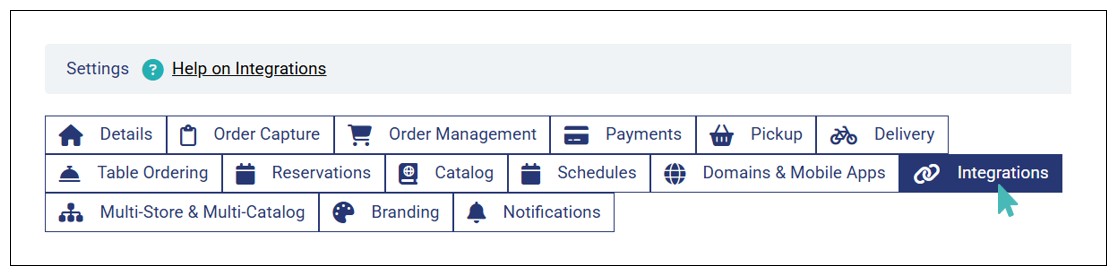
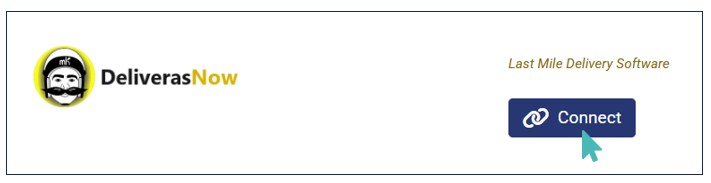
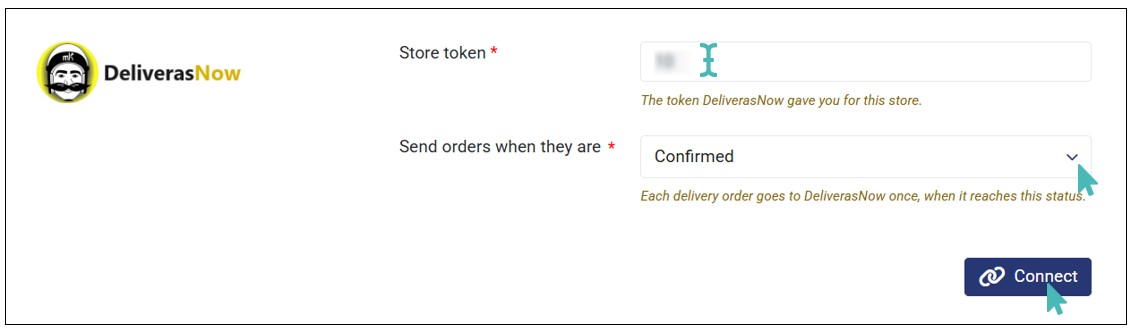
The store is successfully connected to DeliverasNow. Therefore, eligible orders are sent to DeliverasNow as soon as they reach your selected order status.
Guide on Choosing When Orders are Sent to DeliverasNow
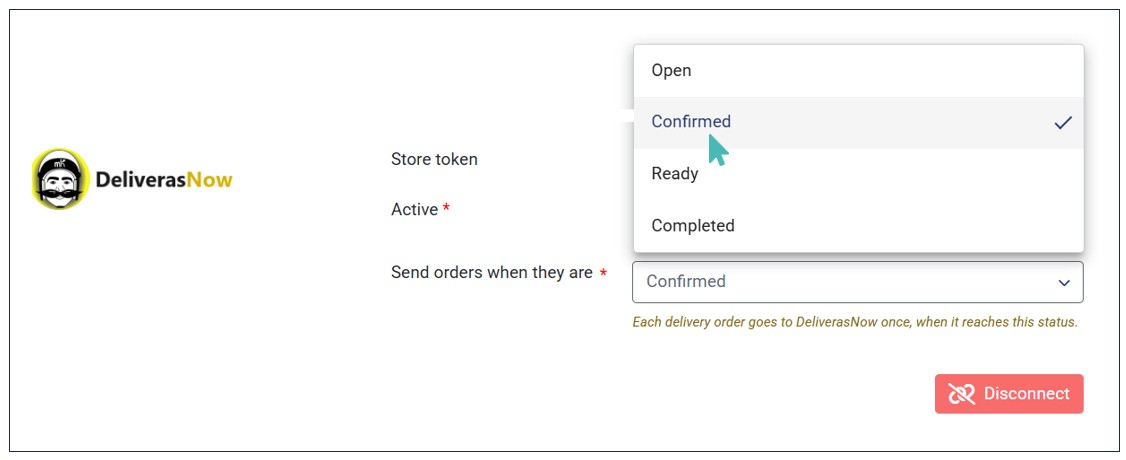
GonnaOrder allows you to decide when delivery orders are forwarded to DeliverasNow. You can choose one of four order statuses depending on your restaurant’s delivery workflow.
Open
Orders are sent immediately after customers submit them, before your staff accepts or rejects them. Select this option if you want DeliverasNow to receive orders as soon as they are placed.
Note
If your staff subsequently rejects an order, DeliverasNow will not automatically receive a cancellation notification. Therefore, you must contact DeliverasNow directly to inform them about the cancellation.
Confirmed (Default)
Orders are sent after your restaurant accepts them. This option allows your staff to review incoming orders and confirm that they can be fulfilled before forwarding them to DeliverasNow.
Ready
Orders are sent when your staff marks them as ready. Choose this option if you want to arrange courier dispatch only after food preparation is complete.
Completed
Orders are sent when your staff marks them as completed. Select this option if your delivery dispatch process takes place after an order is marked completed.
Note
- Orders are sent to DeliverasNow only once, when they first reach or pass the selected status. For example, if you select Ready but an order moves directly from Confirmed to Completed, GonnaOrder will still forward it to DeliverasNow.
- You can change when orders are forwarded to DeliverasNow from one status to another. However, the updated setting applies when subsequent order events occur.
Order Information Sent to DeliverasNow
When an eligible order reaches your selected trigger status, your online store automatically sends the following information to DeliverasNow:
| Information | Description |
| Order ID | The unique GonnaOrder order reference. |
| Customer name | Name of the customer who placed the order. |
| Phone number | Customer’s contact number. |
| Delivery address | Street address and house number. |
| Area and city | Delivery postcode and city. |
| Floor | Floor number, where provided. |
| Coordinates | Delivery location’s latitude and longitude. |
| Order comments | Customer and delivery instructions. |
| Order total | Total amount payable, including delivery fees and tips. |
| Tip | Tip amount, if provided. |
| Payment method | Indicates whether the order was paid online or requires cash collection. |
| Preparation time | Estimated minutes until the order is ready for collection. |
Note
Delivery coordinates are required. Orders without valid latitude and longitude coordinates are not forwarded to DeliverasNow.
Disconnect DeliverasNow from Your Store
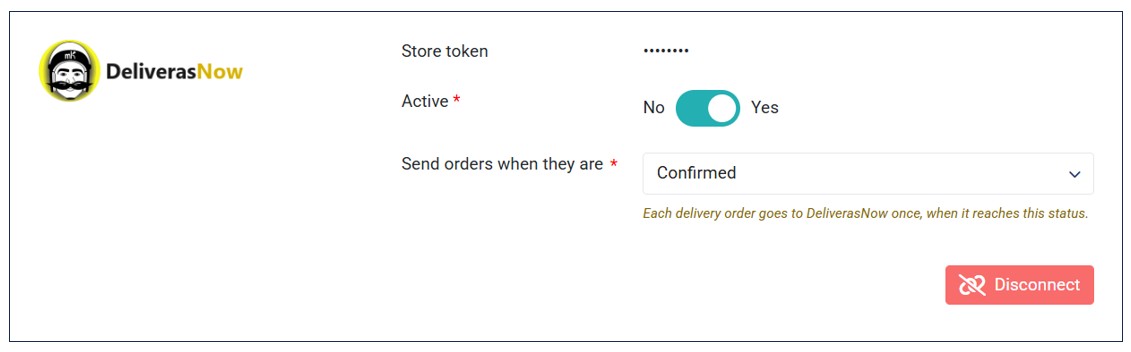
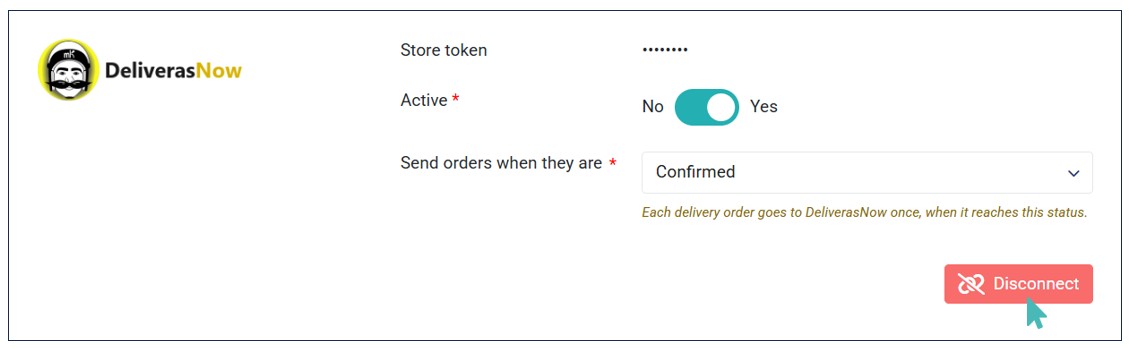
If you no longer want to send future eligible orders to DeliverasNow, you can deactivate or disconnect the integration. Deactivating or disconnecting the integration does not automatically cancel orders that have already been sent to DeliverasNow. Instead, it only stops future eligible orders from being sent to DeliverasNow.
To disconnect the integration, click the Disconnect button.
Frequently Asked Questions
Here are the responses to some of the commonly asked questions about the DeliverasNow integration:
Are all GonnaOrder orders sent to DeliverasNow?
No. Only eligible delivery-to-address orders with valid coordinates are forwarded to DeliverasNow. Pickup, eat-in and table orders are excluded.
What happens if I change the trigger status?
The new setting applies to subsequent order events. Orders that have already reached the new trigger status are not automatically forwarded unless another relevant order event occurs.
What happens if an order is cancelled after being sent?
GonnaOrder does not automatically notify DeliverasNow about cancellations. Contact DeliverasNow directly to cancel the delivery.
Can customers track DeliverasNow deliveries through GonnaOrder?
No. The integration does not currently support delivery tracking links or status updates from DeliverasNow.
Can I update an order after it has been sent to DeliverasNow?
Changes made in GonnaOrder are not automatically synchronized with DeliverasNow. Contact DeliverasNow directly if the courier needs updated order information.