Previous
Streamlining Payments: Flexible Payment Methods That Modern Restaurants Should Consider!


Adding a self-ordering kiosk to your food business is a crucial step towards streamlining operations and modernizing customer experience. However, creating a self-ordering kiosk isn’t just about putting a tablet on a stand. Whether you’re setting one up in a fast-casual restaurant, a food court, or a hotel lobby, the right configuration makes all the difference. Therefore, you must carefully plan the kiosk’s functionality, design, and features to ensure its success. Here are some key tips to consider setting up your self-ordering kiosk the right way.
As technology advances, more devices have become capable of being used as kiosks. These devices run different operating systems. Therefore, you must choose a kiosk with a stable and flexible operating system that integrates seamlessly with various tools, like printing services and browsers.
Some self-ordering kiosk providers, such as GonnaOrder, support multiple operating systems, including Windows and Android. For Windows devices, you can run the kiosk in browser mode. On the other hand, if you’re using an Android kiosk device, you can download and install the GO Kiosk app and start receiving orders from the kiosk. This offers more flexibility in terms of which operating system to run your kiosk.
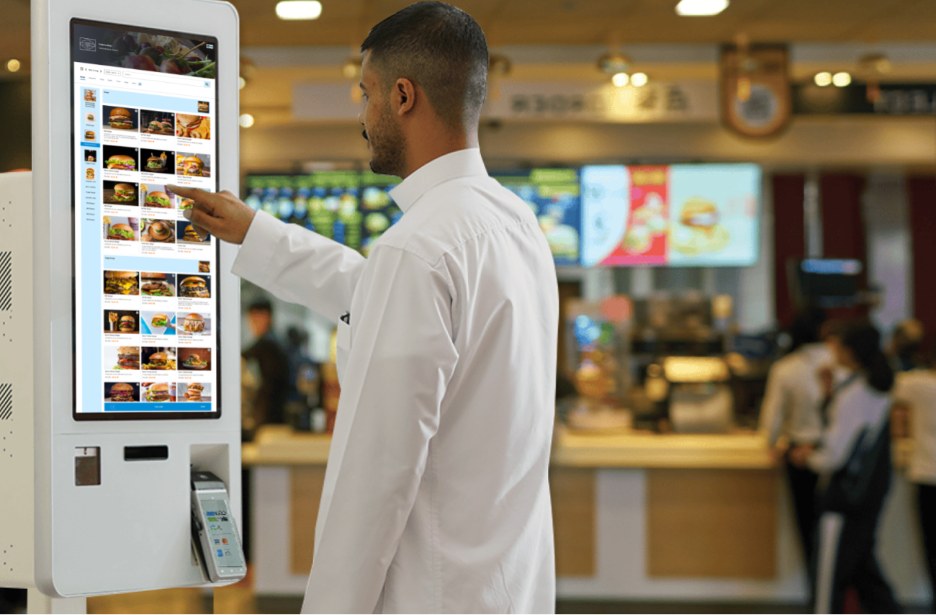
Customers buy with their eyes first. A kiosk’s large screen gives you the perfect opportunity to display vibrant, mouth-watering visuals that instantly capture attention and spark appetite. When customers can clearly see what they’re ordering, they decide faster, feel more confident, and are more likely to upsell or add extras. This, in turn, increases your average order value.
Our kiosk lets you enhance the browsing experience by adding compelling images across your menu:
High-quality visuals don’t just make your kiosk look better. Instead, they make ordering easier, faster, and more profitable.
A kiosk is a shared, public device. Therefore, every extra step slows customers down and increases the chances of not completing an order. The more information users must enter, the longer ordering takes, and the greater the chance of errors, delays, or privacy concerns.
Streamline the experience by removing anything that isn’t essential to completing an order.
Here’s are some components to hide, and why it matters:
With GonnaOrder, you can simplify your kiosk interface by removing unnecessary inputs and enabling fast, secure ordering, helping customers complete purchases quickly while protecting their privacy.
If a customer walks away without completing an order, the kiosk shouldn’t remain on the same page where the customer left it. This can upset the next customer who will have to clear the items that the previous customer had added to the cart, further extending their ordering session.
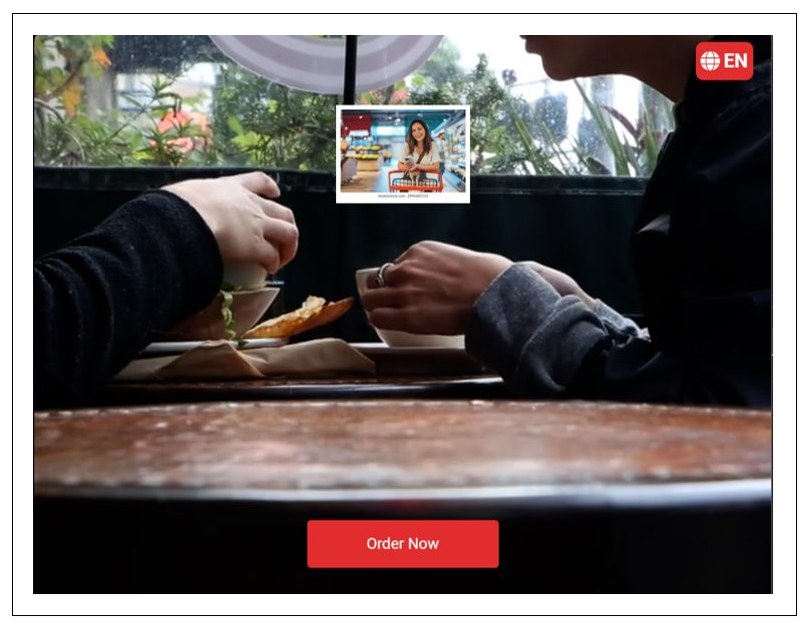
GonnaOrder helps you prevent this bad experience for your customers through various settings, including:
When setting up a kiosk, you must consider the payment options that will be used by customers. Offer a variety of payment options since customers may have varying payment method preferences. Also, analyze your customer base to understand their payment preferences before setting up your kiosk. This will help you prioritize and integrate the most popular and preferred payment method in your kiosk. The outcome? A smooth checkout experience.
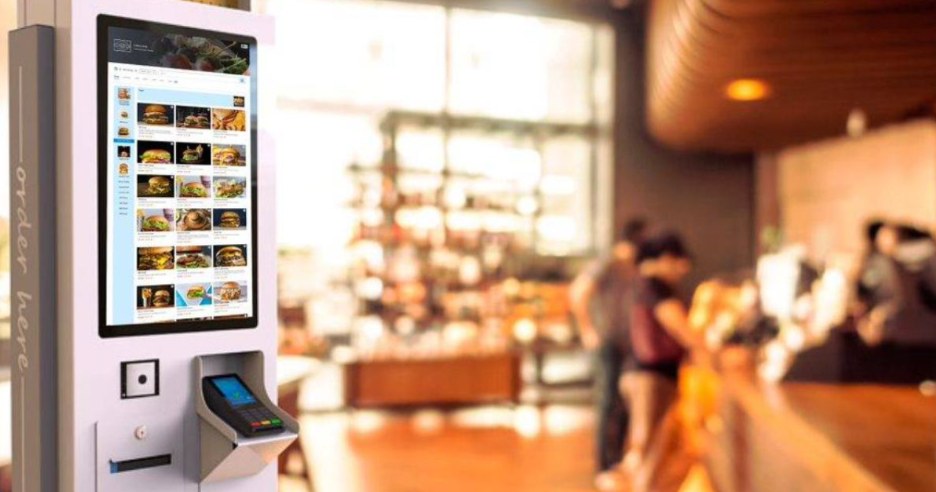
GonnaOrder allows you to set up various payment methods on your kiosk, depending on your needs. These include:
Learn more about the payment methods supported by GonnaOrder.
Kiosks are an ideal option for customers looking to place specific types of orders. The most common types of orders supported by kiosks are dine-in/eat-in and takeaway orders. Therefore, it’s important to allow your customers to choose the type of order they’d like to place (eat-in or takeaway) before submitting an order. This significantly improves user experience and streamlines kitchen operations. Also, it ensures that the order is properly packed/served depending on how the customer would like the order.
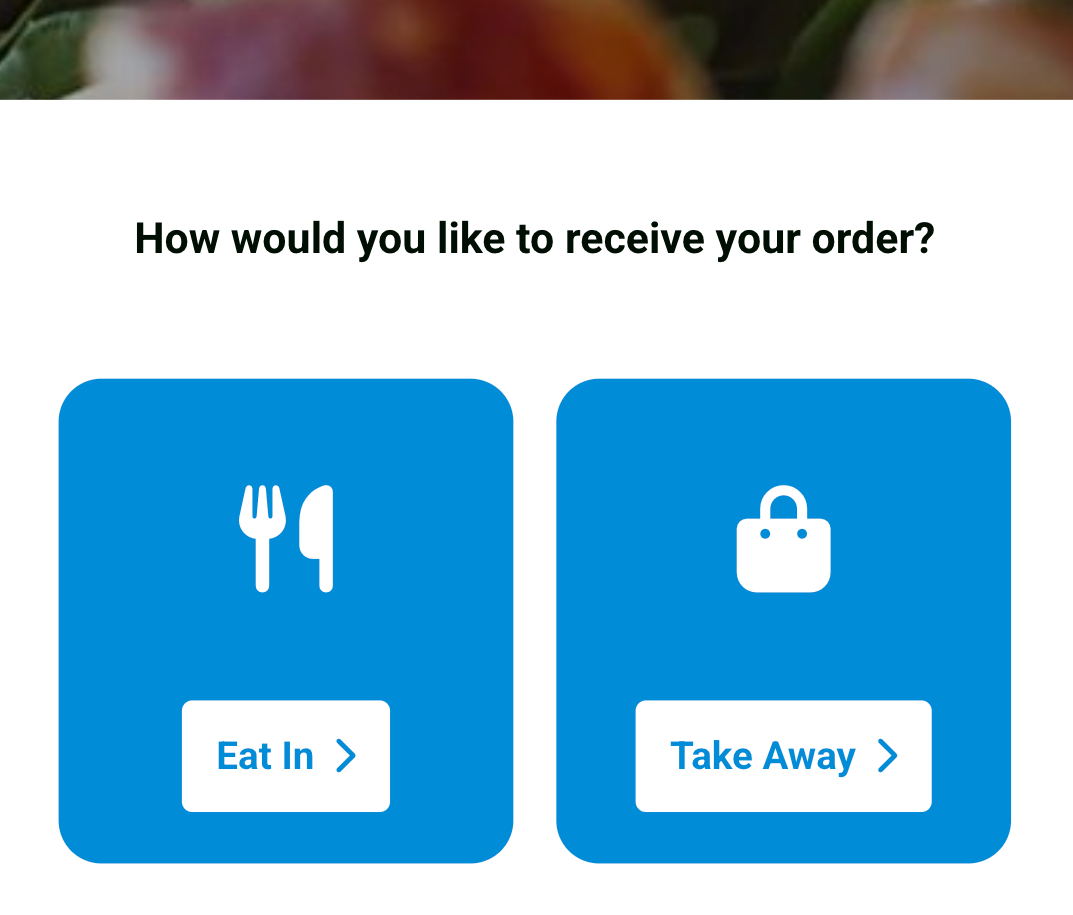
You can configure your GonnaOrder kiosk to ask customers how they’d like to have their order (dine-in or takeaway) when submitting their order. This way, your staff can fulfill orders better and more accurately. This significantly enhances customer satisfaction.
Order printing is crucial for customer confirmation and kitchen receipts. Customers can check their receipt to know their order number and other key order details. On the other hand, kitchen staff can use these receipts to process orders accurately. Therefore, your printing options should complement your kiosk, allowing customers to collect their order receipts effectively.
With GonnaOrder, you can set various order printing options for your kiosk, allowing for automatic printing of orders. These options include:
Customer privacy is crucial when running a food ordering kiosk. Since these kiosks are often placed in public spaces, it’s crucial to implement measures to protect customer data. For instance, you can run the kiosk in pickup mode and hide settings that require customers to provide their personal details, such as name, email address, and phone number. This way, customers can submit their order without the risk of exposing their personal data. Doing so also ensures compliance with privacy and data protection policies.
Additionally, customers should never have to login to place an order. Therefore, you should hide any customer authentication sections from the kiosks to keep your customers’ data safe.
Self-ordering kiosks should ensure a seamless user experience. You can achieve this by optimizing display settings on the kiosk to minimize any distractions in the ordering process. Here are some practices you can consider optimizing your kiosk’s display and overall experience:
Showcase your catalog in a language that customers understand. This gives you an upper hand when running your kiosk since customers can thoroughly explore your menu visuals and read the item descriptions. Therefore, they can make informed decisions when placing an order from your kiosk. Also, customers can place orders independently without seeking clarification from the staff. This aligns with one of the key goals of setting up a kiosk in the first place – allowing self-ordering by customers.
GonnaOrder understands that translating the catalog to the local language is crucial to your kiosk’s success. As a result, it allows you to portray your catalog based on your store’s language settings. This reduces the chances of confusion when placing an order from a kiosk. Also, it increases the probability of order completion by customers, which is crucial in boosting sales.
Setting up a self-ordering kiosk isn’t just about the hardware. You need to consider various factors and settings to prepare your kiosk for success. For instance, you need to ensure system stability, seamless order printing, attention-grabbing visuals, and a localized experience to create a smooth flow that keeps customers coming back. By following these tips, your kiosk will be ready to serve with speed and efficiency. In addition, you need to partner with a proficient kiosk service provider, like GonnaOrder, to support you in every step to unlock success in streamlining your customer ordering experience.
Give your customers an easy and fast way to order and pay from a self-ordering kiosk. Optimize your operation and increase the guest satisfaction.