
Faster table turnover

Easy bill splitting

More tips for your team

Available in all languages and
currencies of the world!

Languages

Why choose table payments?

Let guests settle the bill themselves, the way they want, while your team keeps serving.

Image

Guests pay when they are ready to leave

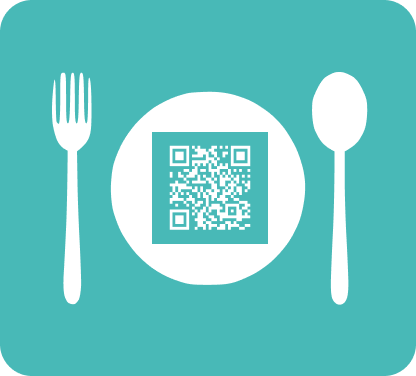
Guests scan the QR code on their table and see every item ordered at the table, with what has already been paid. They pay in their browser in a few taps, without downloading an app and without waiting for a waiter to bring the bill.

Book a Demo

Image

Split the bill any way your guests want

Each guest can pay the full bill, an equal share by the number of people, only the items they ordered, or a custom amount. Everyone sees what has been paid and what is left, so the last guest simply pays the remaining balance.

Book a Demo

Image

Collect more tips for your team

Guests choose a tip of 5%, 10% or 15%, enter their own amount, or leave no tip. On a split bill each guest tips on their own share. Tips are shown separately on every payment and in your statistics.

Book a Demo

Image

Works with your open tabs and your POS

Guests can pay for tables opened in GonnaOrder, whether they ordered themselves or a waiter took the order. With Powersoft 365 or TISSL, the waiter opens the table on the POS and guests pay that bill from their phone. With Powersoft, the table closes on the POS by itself once it is fully paid.

Book a Demo

Image

Send a payment link for any order

Not every bill belongs to a table. Create a payment link or QR code for a single order, or for any amount, and share it with the guest. They pay with the same split and tip options, through your own payment provider.

Book a Demo

All the features you need to take payments at the table

box1

Pay by QR code
No app needed
Live bill per table
PDF receipt by email

box2

Split equally
Pay by item
Pay a custom amount
Tips of 5%, 10%, 15% or any amount

box3

GonnaOrder open tabs
Powersoft 365 POS
TISSL POS
Payment links and QR codes

box4

Payments dashboard
Tips per payment
Statistics and reports
Multi-store view

For businesses that want guests to pay and go

Restaurants

Restaurants

Bars & Pubs

Bars & Pubs

Cafes

Cafes

Hotels & Beach Bars

Hotels & Beach Bars

Trusted by top restaurants in the UK

  • FEAST by Ed Shaerf
  • Buraans by Hem Raturi
  • Veva Vegan
  • Indian Aroma
  • Indian Essence
  • Qissa
  • The Red Lion
  • Masalchi
  • Cinnamon Culture
  • FEAST by Ed Shaerf
  • Buraans by Hem Raturi
  • Veva Vegan
  • Indian Aroma
  • Indian Essence
  • Qissa
  • The Red Lion
  • Masalchi
  • Cinnamon Culture

Trusted by top restaurants around the world

  • Tim’s Thai
  • Veva Vegan
  • Indian Aroma
  • L’N Coffee
  • Qissa
  • Pizzajoy
  • The Red Lion
  • Masalchi
  • Cinnamon Culture
  • Tim’s Thai
  • Veva Vegan
  • Indian Aroma
  • L’N Coffee
  • Qissa
  • Pizzajoy
  • The Red Lion
  • Masalchi
  • Cinnamon Culture

Whatever others say about us you can have it for your business too

The Red Lion pub in West Bromwich, Birmingham, lets guests order and pay from their phones with GonnaOrder.

What they achieved

Guests order and pay from their phone with minimal staff interaction

Accessible for every guest, including guests with hearing impairments

A small team serves more guests despite staff shortages

Read the case study

How does it work

Turn on table payments

1. Turn on table payments

Connect your payment provider and switch on open tab payments in your store settings.

Open the table

2. Open the table

Guests or waiters order in GonnaOrder, or the waiter opens the table on your POS.

Guests pay, split and tip

3. Guests pay, split and tip

Guests scan the table QR code and pay their share when they are ready to leave.

How much do table payments cost?

Table payments come with every GonnaOrder store. You pay one fixed price per sales channel: no commission on your orders and no cut of your payments.

For your guests

  • Pay from their phone, no app needed
  • Split the bill or pay by item
  • Tip 5%, 10%, 15% or any amount

For your business

  • Your own payment provider, at your own rates
  • Payments and tips in one dashboard
  • Works with open tabs, Powersoft and TISSL

Explore Our Latest Hospitality Articles


FAQ

Do guests need to download an app?

No. Guests scan the QR code on their table and pay in their browser. They see every item ordered at the table and pay through your own payment provider.

Yes. Each guest can pay the full bill, an equal share by the number of people, only the items they ordered, or a custom amount. Everyone sees what has been paid and what is left to pay.

Guests choose 5%, 10% or 15%, enter their own amount, or leave no tip. On a split bill each guest tips on their own share. Tips are shown separately in your payments dashboard and statistics.

Table payments work with tables opened in GonnaOrder, and with Powersoft 365 and TISSL, where the waiter opens the table on the POS. With Powersoft, the table closes on the POS by itself once it is fully paid.

Any payment provider connected to your GonnaOrder store. The money goes straight to your own provider account; GonnaOrder never holds your funds and takes no cut of your payments.

Create a payment link or QR code for that order, or for any amount, from your admin and share it with the guest. They can still split the payment and leave a tip.

Let guests pay at the table today!

Looking for a faster way to settle the bill? Let guests pay, split the bill and tip from their phone, through your own payment provider and with no commission.

Higher table turnover

Easy bill splitting

More tips for your team

Contact us